 Glyphfield
Studio overview
Find every Studio tool by name and ID, manage projects and tabs, search tools, change the visual settings, and learn where the Studio saves your work.
The Studio is Glyphfield's visual workspace at /studio. A project holds one brand identity and a separate draft for every tool. Every tool reads the identity of the active project. GET /api/labs returns the current tool list for agents. Every tool has a JSON source document, browser-rendered exports and an adapter for the Browser API (window.glyphfield.studio).
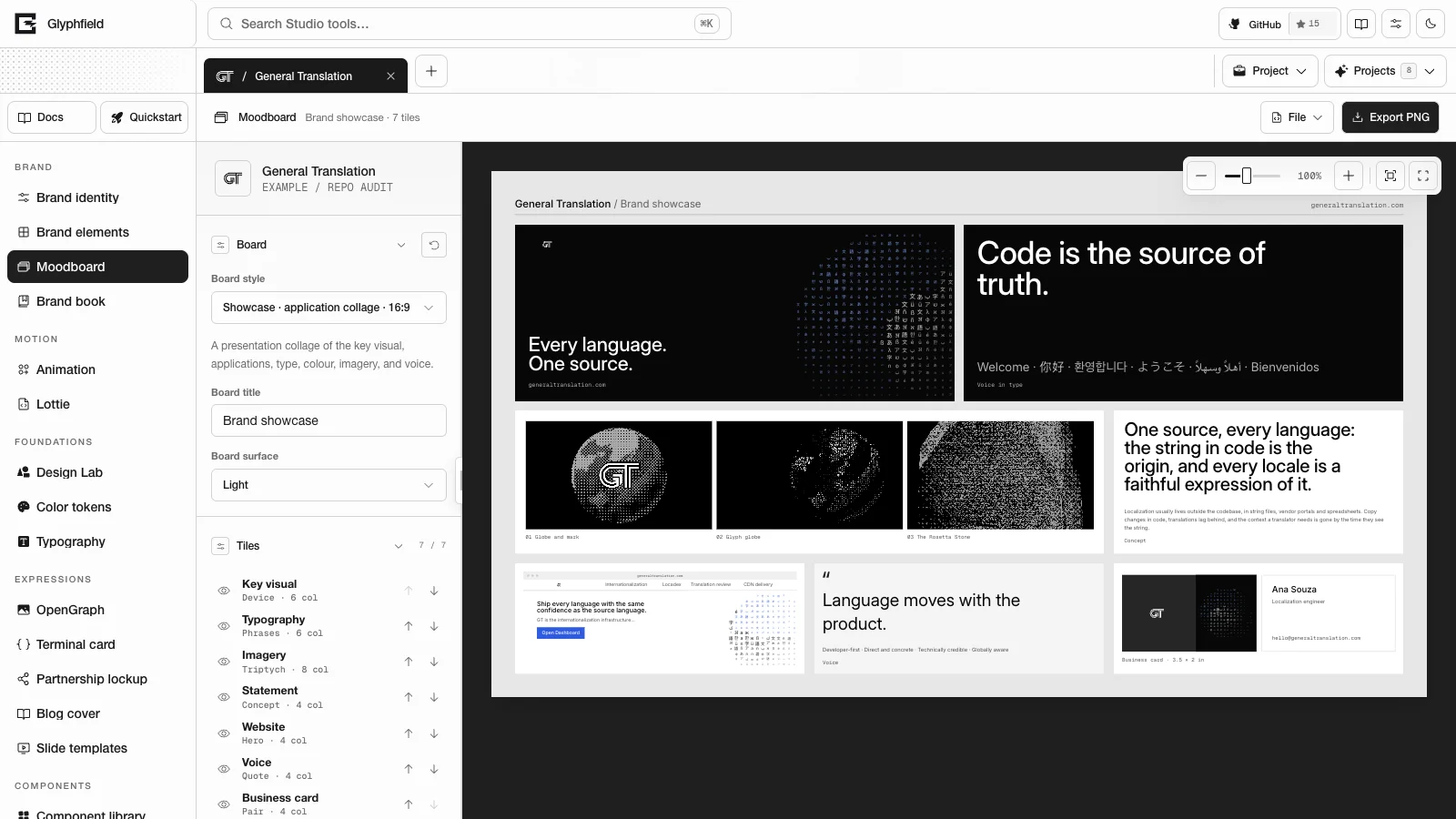
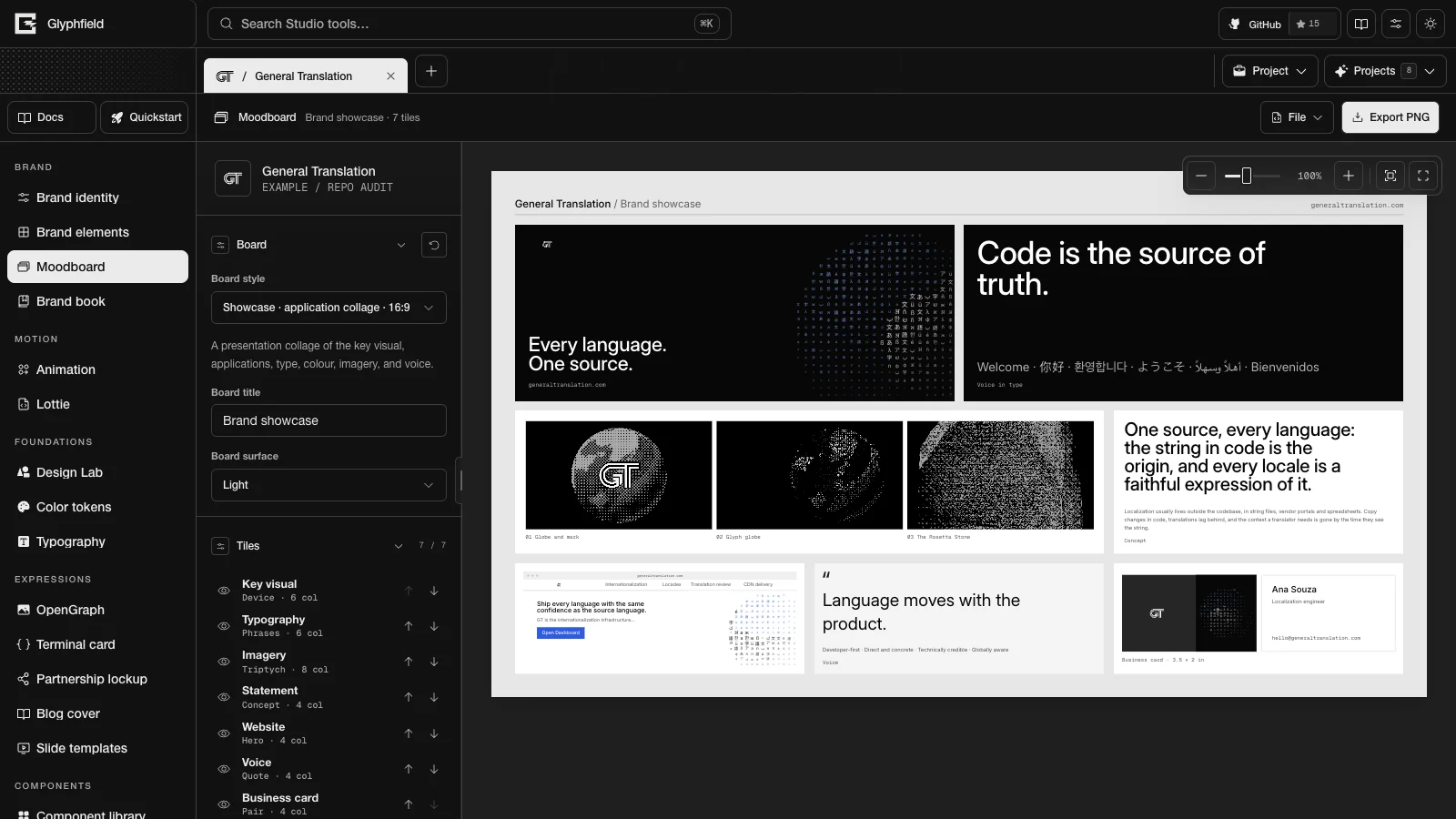
Tools
| Group | Tool | ID | Purpose |
|---|---|---|---|
| Brand | Brand identity | identity | Edit the shared identity, check its health, set it up with an agent and download the brand kit |
| Brand | Brand elements | brand-elements | Apply the identity to 89 templates for email, product UI, developer, social, editorial, event and physical use |
| Brand | Moodboard | design-board | Compose editable tile boards in five compositions |
| Brand | Brand book | brand-book | Read, edit and print a 54-page brand book |
| Motion | Animation | animation | Sequence text, logo and image scenes with keyframes, transitions and audio |
| Motion | Lottie | lottie | Play, edit, recolor, trim and export Lottie files |
| Foundations | Design Lab | material | Compose layers, shaders and effects on artboards |
| Foundations | Color tokens | colors | Edit the palette, scales, semantic roles, contrast and token exports |
| Foundations | Typography | typography | Edit type roles, the type scale, font files and type tokens |
| Expressions | OpenGraph | opengraph | Make social preview images in seven formats |
| Expressions | Terminal card | terminal | Make syntax-highlighted code windows |
| Expressions | Partnership lockup | partnership | Lock up the brand with one or more partners |
| Expressions | Blog cover | blog | Make editorial covers |
| Expressions | Slide templates | slides | Build multi-slide decks from 14 layouts |
| Components | Component library | buttons | Preview 36 interface components and copy their React or HTML code |
The five Expressions tools share one editor, described in Expression tools. Design Lab, Animation, Lottie and the expression tools share one catalog of live shaders, the Shader Library.
Tool navigation
- Choose a tool in the left navigation. At laptop widths the navigation becomes a rail of icons with tooltips.
- Press ⌘/Ctrl + K, or / when no text field has focus, to open Search Studio tools. Search matches the typed text against each tool's name, group, description and keywords. The arrow keys move through results, Enter opens the selected tool and Escape closes search. Each result shows a letter as a label. The Studio does not bind that letter to a key.
- Open a URL of the form
/studio?tool=<id>&project=<project id>&folder=<folder id>. The Studio updates these parameters as you navigate.
The header also links to Docs and to Quickstart, which opens Getting started.
Projects and tabs
Project tabs sit above the tool. Each tab is a view of a saved project. Closing a tab does not delete the project.
| Control | Action |
|---|---|
| + (Add brand project) | Opens New project. Under Start a brand, Set up with your agent creates an empty brand and opens Set up with agent, Blank brand creates an empty brand to fill in by hand, and Copy a reference brand copies one of the nine built-in identities. Under Start with a file, Blank design and Blank animation open an empty Design Lab canvas or Animation timeline in a new project, and Import project… opens a .glyphfield.json file as a new project |
| Project menu | Duplicate active project, Close other project tabs and, for your own projects, Delete active project |
| Projects menu | The folders All projects, Templates, My brands and Examples, with counts. Reopens closed projects |
| Tab menu (right-click, Shift + F10 or the ContextMenu key) | Open project, Rename project (F2, your own projects only), Duplicate project, Move tab left (Option/Alt + ←), Move tab right (Option/Alt + →), Close tab and Close other tabs |
Drag a tab to reorder it. Neighboring tabs move aside to show where it will land. When tabs do not fit, they become compact, then show icons only, then scroll with scroll buttons.
Duplicate copies the identity, the current work in every tool, assets and saved checkpoints. The copy includes edits that are still waiting to autosave. It opens in a new tab and does not share state with the original. If a canvas is still loading or an asset cannot be copied, an Error button explains why and no empty copy is created. Copy a reference brand creates <Name> copy 1 from a built-in identity and copies no tool work.
Delete active project opens a confirmation that names the project. Delete project removes it from your projects in this browser. Cancel, Escape or a click outside the dialog keeps it. A deleted project cannot be restored. Built-in projects cannot be deleted or renamed. Edits to a built-in project are kept, and Restore the shipped version in Brand identity returns it to its shipped state.
Built-in identities lists the nine identities that ship with Glyphfield.
Control locations
| Place | Purpose |
|---|---|
| Project tabs, Project, Projects | Switch, create, duplicate and reopen projects |
| Tool header | Save checkpoints, browse saved designs, open File and export |
| File menu | Open and download portable project files where the tool supports them, and Edit source code under Advanced |
| Canvas toolbar | Zoom, fit, reset, undo, redo and tool-specific view controls |
| Left sidebar | Libraries, catalogs and sources |
| Right inspector | Settings of the selected layer or of the tool |
Inspector headings are disclosure buttons. A collapsed section keeps its controls and values. Color rows show a swatch and a HEX value. Opening a row shows the shared color picker with HEX, OKLCH, hue and opacity where the field supports it. Browsers with the EyeDropper API also show Pick screen color.
Canvas navigation
Most tools show their artifact in the shared canvas viewport.
| Control | Action |
|---|---|
| Zoom out, Zoom in | Change zoom by 10% |
| Canvas zoom slider | Sets zoom directly |
| Percentage button | Resets zoom to 100% |
| Fit canvas | Fits the artifact in the view |
| Reset view | Returns to the starting view |
| Scroll over the stage | Zooms |
| Drag empty workspace | Pans |
| ⌘/Ctrl + Z, Shift + ⌘/Ctrl + Z | Undo and redo while the canvas has focus or the pointer is over it |
Zoom ranges from 40% to 200% in most tools and from 5% to 800% in Design Lab. The Studio saves zoom per project and tool. Zoom and pan do not change the artifact's geometry or export size.
Visual settings
Visual customization in the header opens Visual settings. These settings change the Studio interface only. They do not change brand colors in an artifact or its exports.
| Setting | Values |
|---|---|
| Theme | Light, Dark or Auto. The landing page, the Studio and the docs share this setting |
| Accent | Neutral, violet, teal, lime, or Custom accent, a color you choose in the shared color picker. The accent colors selection and focus |
| Canvas | Dots, grid or a plain workspace background |
| Corners | Rounded (default) or square controls and panels |
| Studio font | Helvetica Neue (default), Be Vietnam Pro, Schibsted Grotesk or Rethink Sans |
| Compact UI | Tighter navigation |
| Reduce motion | Pauses decorative effects |
| Tooltips | On by default. On shows the name of a control when the pointer rests on it or it receives focus. Off hides those names |
Auto follows the operating system theme, including changes while the page is open. The Studio applies the theme before the first paint and respects the operating system's prefers-reduced-motion setting. With a custom accent, the Studio picks white or near-black text on accent-colored controls, whichever has more contrast.
Switching and motion
A sidebar item or project tab highlights as soon as you click it. The current tool stays on screen until the next one has loaded. The new tool then fades in over it in 160 ms. If loading takes longer than 180 ms, a thin progress line appears at the top of the workspace. The first time the Studio opens, a placeholder with the tool's layout (toolbar, side panel and canvas) shows until the tool is ready.
Tools you have opened stay in memory with their renderers paused, so switching back does not reload them. After the first tool paints, the browser loads the code for the other tools in idle time. It skips this step when the browser has data saving turned on.
Command search fades and lifts in. Menus, popovers and command search fade out over 120–140 ms when they close. The control itself closes at once, so focus, automation and tests see the closed state immediately. The source drawer slides in and loads its editor the first time it opens. Collapsing a sidebar changes its width in one step, and its content fades back in when it expands.
Replacing a shader keeps the previous one on the canvas, paused, until the new one has painted its first frame. The previous shader then fades out over 160 ms. A Shader Library card starts loading its Shaders.com or ShaderGradient engine when the pointer rests on it or it receives focus.
With Reduce motion on, or with prefers-reduced-motion set in the operating system, tool and project switches, menu and popover fades, and drawer slides happen in a single frame. The 160 ms fade after a shader replacement is instant only with the operating system setting.
Persistence
The browser's localStorage holds project identities, open tabs, the active tool and folder, visual settings and most tool drafts. IndexedDB holds Design Lab saved designs, autosaves, converted assets and captured shader frames, with a small recovery journal. The Studio uploads nothing to a server. Clearing site data removes local work. Backup and restore explains how to keep copies.
Agents in the Studio
The active tool installs window.glyphfield.studio. An agent can list and operate the active tool's controls by accessible label, read and apply source, call tool actions and download the returned files. The project tabs and the Project and Projects menus sit outside the tool, so the Browser API does not reach them. See Studio Browser API and Choose the right interface.
Getting started
Open the Glyphfield Studio, create or copy a brand project, fill in its identity, compose a first design in Design Lab and export it as a file.
Brand identity
Edit the shared brand identity that every Studio tool reads, check its brand health score, set it up with a coding agent, and download a brand kit.