 Glyphfield
Terminal card
Make brand-themed code windows with file tabs, highlighted lines and wrapped long lines, then export them as PNG or SVG.
Terminal card (tool ID terminal) renders a code window in the identity's code font, with a color theme built from the identity's colors. It is one of the expression tools. Each built-in identity starts with code from its own product, for example a gt-next component for General Translation, a PaymentIntent for Stripe, a Worker for Cloudflare, docs.json for Mintlify and utility classes for Tailwind CSS. A custom identity starts from the code snippet saved in its identity when it has one. Otherwise it starts from a brand.ts file with the identity's name, tagline and accent color.
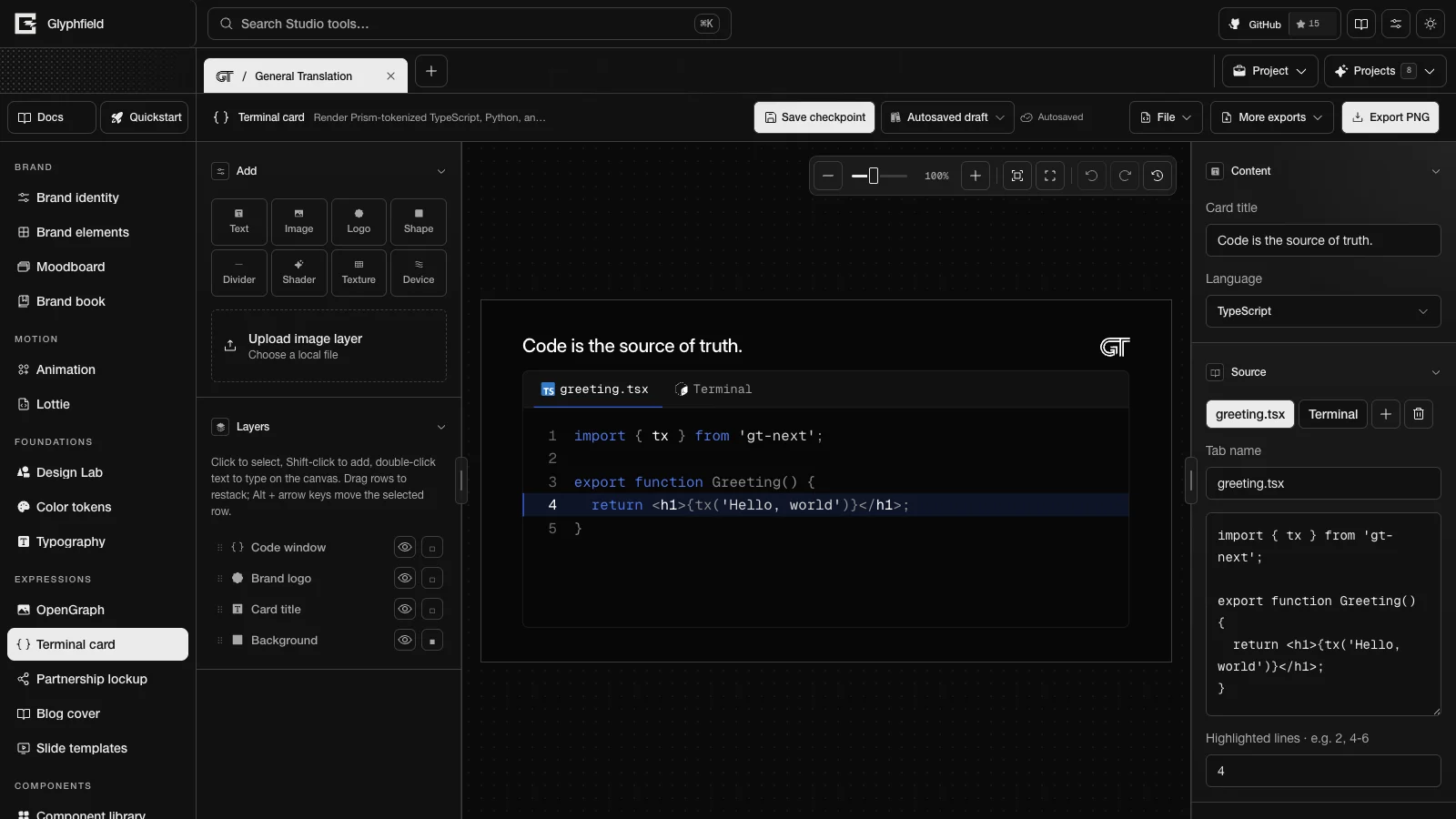
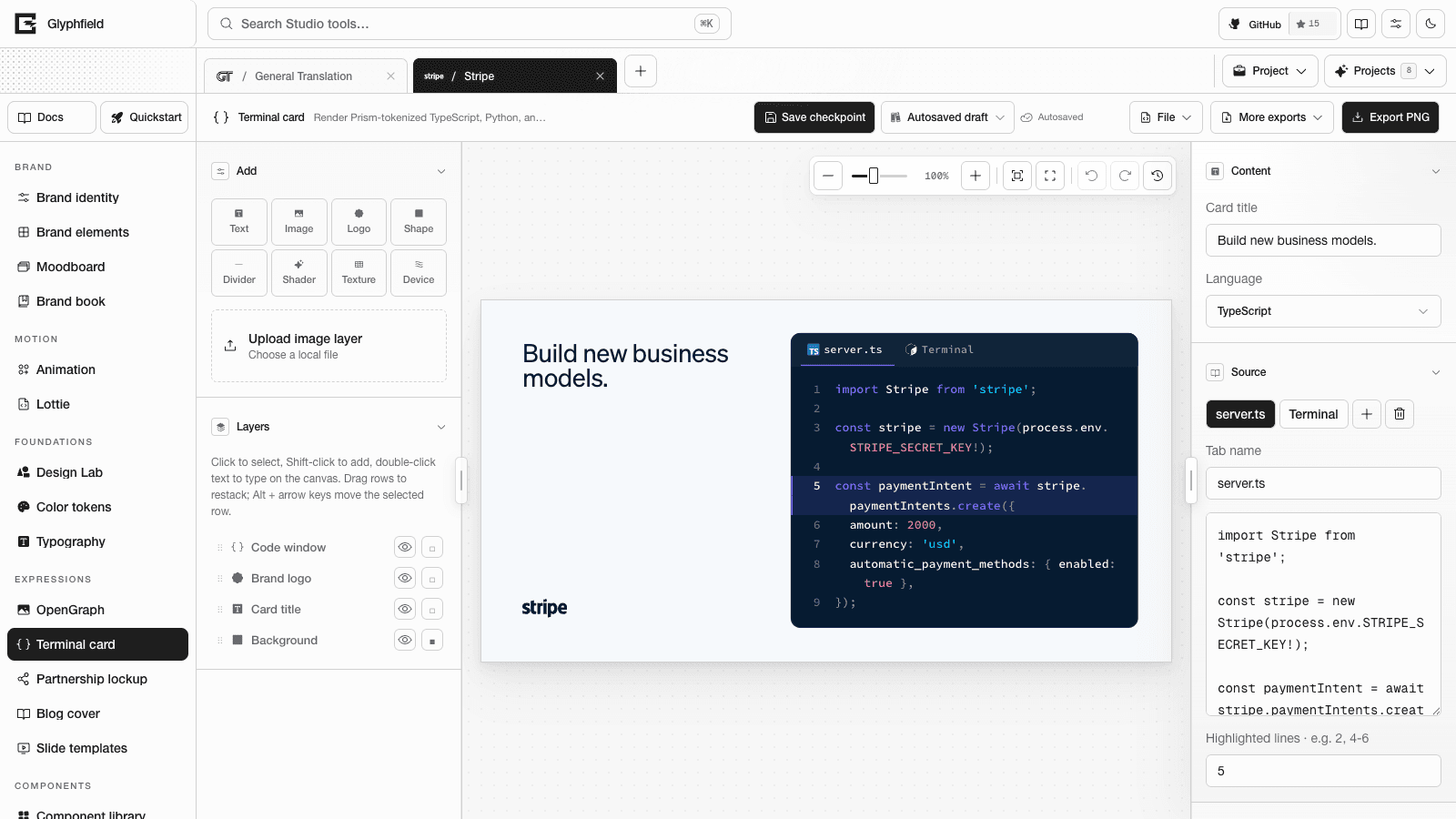
Content controls
| Section | Controls |
|---|---|
| Content | Card title edits the title layer. Language sets the language of the active tab: TypeScript, TSX, JavaScript, Python, Bash, JSON, HTML or CSS |
| Source | One button per file tab, a button that adds a tab and a button that removes the active tab. Tab name renames the active tab, the Terminal source code field edits its code, and Highlighted lines · e.g. 2, 4-6 takes line numbers and ranges |
| Typography | Title font, Title weight, Code font and Code weight |
| Brand asset | Card background places an identity or proof image behind the card at 14% opacity. Asset opacity changes the opacity |
The add button names a new tab file-N and gives it the language of the current tab. A new TypeScript, Python or Bash tab starts with the General Translation sample for that language, and a tab in another language starts empty. A window keeps at least one tab. If the active tab still holds one of the three General Translation samples, switching its language to TypeScript, Python or Bash loads the sample for that language. Code that you edited stays as it is.
Highlighted lines get a tinted band and an accent rule at the left edge.
Code window
Select the code window to reach its inspector section: Theme (Brand dark, Brand light or Classic dark), Chrome (File tabs, Window or None), Line numbers, Code size (9–48 px), Code line height (100–240%) and Window radius (0–64 px).
- In the two brand themes, token colors come from the identity's color roles. Each token color is mixed toward the text color until it reaches a contrast of 4.5:1 against the window, or 3:1 for comments and punctuation. Classic dark uses a fixed palette.
- Long lines wrap inside the window after a space or a punctuation mark. A continuation row is indented two spaces past the line's own indent and has no line number. A highlighted line keeps its band across all of its rows.
- Code shrinks only when the wrapped code is taller than the window, and it stops at 80% of its set size.
- Templates set the code size between the format's body and lead sizes, which is 18 to 25 px on a 1200 × 630 card.
Layouts and formats
| Layout | ID | Arrangement |
|---|---|---|
| Card | card | A title row above a window that fills the rest of the card |
| Split | split | The title beside the window. Tall formats stack them |
| Focus | focus | The window alone, with a small footer for the wordmark and website |
| Caption | caption | The window above a caption |
Terminal card uses the seven social formats listed in Expression tools.
Export
Export PNG renders the card at 2×. More exports → Export SVG downloads a self-contained SVG with the code font embedded.
Browser actions
| Action | Use |
|---|---|
terminal.export.png / terminal.export.svg | Export |
terminal.tab.add / terminal.tab.select / terminal.tab.update / terminal.tab.remove | File tabs, code, language and highlighted lines |
terminal.document.describe | Format, layouts, pages and layers |
terminal.layer.add / terminal.layer.update / terminal.layer.remove / terminal.layer.duplicate | Layer edits |
terminal.layer.reorder / terminal.layer.select / terminal.layer.align | Stack order, selection and alignment |
terminal.format.set / terminal.layout.apply / terminal.template.reset | Format, layout and template |
terminal.history.undo / terminal.history.redo | History |
The tab actions edit the code window on the active page. terminal.tab.add takes { name?, language?, code? } and returns { tabId }. Its defaults are the name file-N.ts, the language typescript and the sample code for TypeScript, Python or Bash. The new tab becomes the active tab. terminal.tab.select and terminal.tab.remove take { tabId }. terminal.tab.update takes { tabId, name?, language?, code?, highlight? }, where highlight is a list of 1-based line numbers.
studio.set('Terminal source code', 'const ok = true;') edits the active tab. The source document keeps flat code and language fields that mirror the active tab of the first code window. See Expression tools for the shared actions.
HTTP
POST /api/generate with { kind: 'template', template: 'terminal', layout?, language?, title?, body? } renders the card as an SVG. body is the code, up to 4000 characters. See Generation API.