 Glyphfield
OpenGraph
Make social preview images in seven formats from the identity's headline, proof and graphic device, then export them as PNG or SVG.
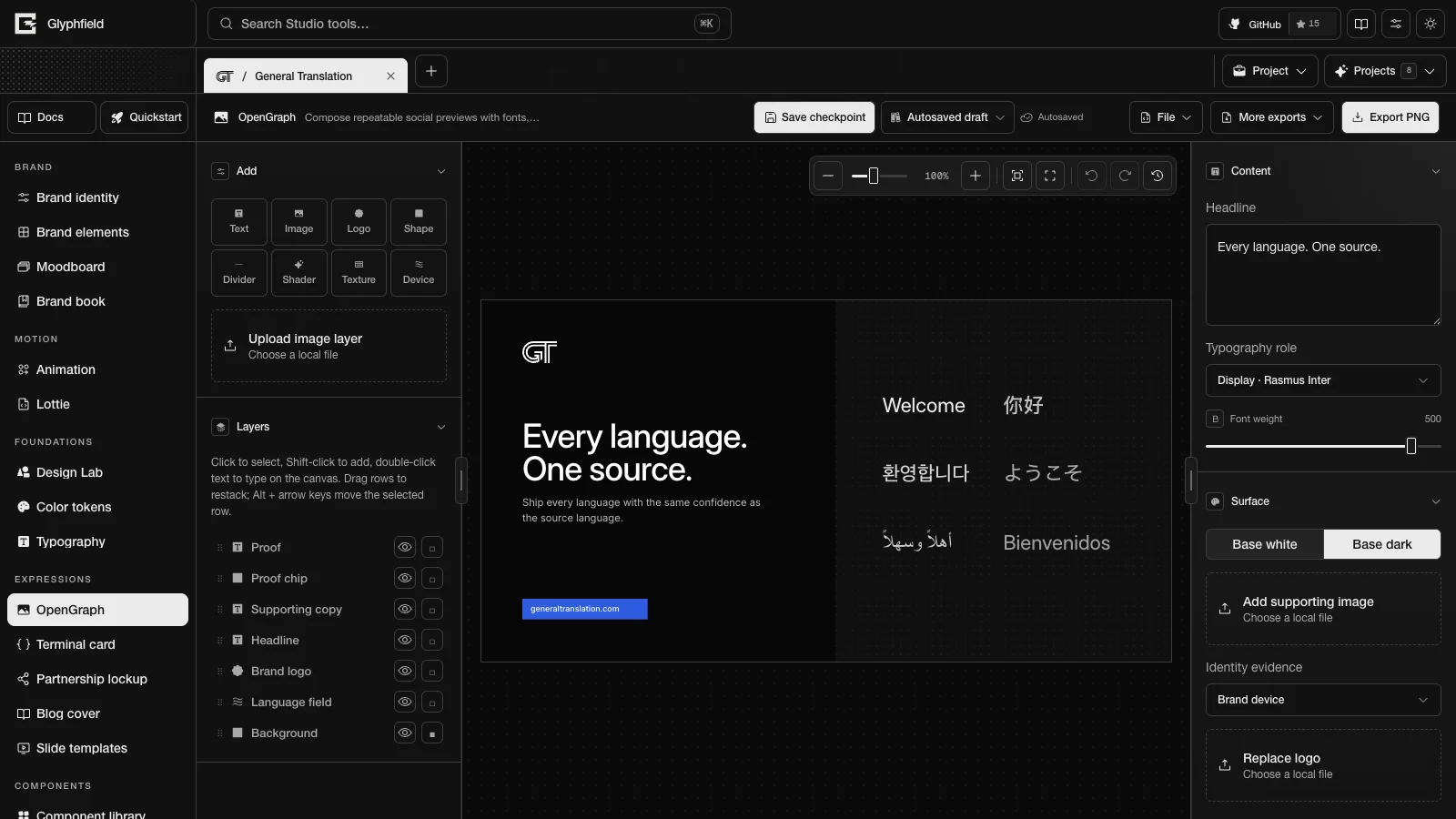
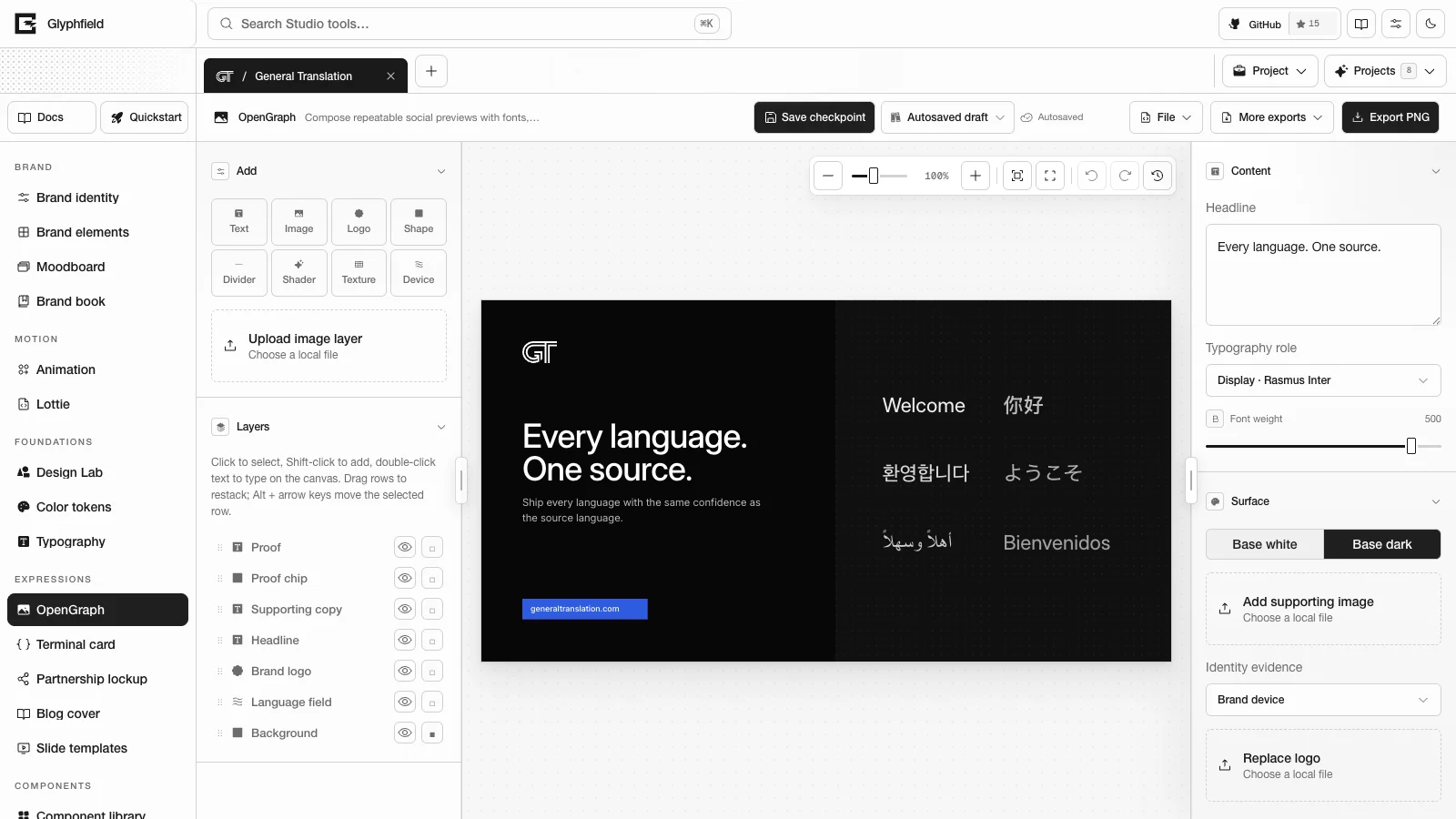
OpenGraph (tool ID opengraph) makes social preview images, the cards that appear when a link is shared. It is one of the expression tools and starts from the brand template of the active identity. The default Split layout holds the identity's headline, its promise as supporting copy, a proof chip, the brand mark and a media panel. The media panel shows the identity's graphic device or photograph. General Translation gets its language field, Stripe its programmable field, Ramp its campaign photograph and Tailwind CSS its utility wave.
Content controls
- Content has Headline, Typography role and Font weight (100–550) for the headline layer.
- Surface switches the page between Base white and Base dark. Text and marks switch with it. Each identity sets its default surface, and General Translation starts on its dark ink color. Page surface in Format and layout accepts any brand color role.
- Split and Full bleed have a media panel. Add supporting image replaces the panel with a local image. Identity evidence picks an image from the identity library, and its Brand device option returns the panel to the generated device.
- Replace logo uploads a new mark, and Brand logo asset picks one from the identity. Select the logo layer to reach Logo effects (invert, dither, outline and shadow).
- Add font file loads a local font file for the headline.
Every layer is also editable on the canvas. See Expression tools.
Formats and layouts
OpenGraph uses the seven social formats: opengraph 1200 × 630, wide 1600 × 900, square 1080 × 1080, portrait 1080 × 1350, story 1080 × 1920, linkedin 1200 × 627 and lockup 1200 × 600.
| Layout | ID | Arrangement |
|---|---|---|
| Split | split | Copy beside the media panel. Tall formats stack the panel above the copy |
| Statement | statement | The wordmark, one large headline and a ruled footer with the website and a proof line |
| Full bleed | media | The media panel behind the headline, with a dark scrim |
| Centered | centered | Wordmark, centered headline, supporting copy and website |
| Editorial | editorial | A large headline from the top edge and a ruled footer with the wordmark and website |
Export
Export PNG renders the artboard at 2×, which is 2400 × 1260 px for the default format. More exports → Export SVG downloads a self-contained SVG. For the social images of the deployed Glyphfield site itself, see Social previews.
Browser actions
| Action | Use |
|---|---|
opengraph.export.png | PNG of the artboard at 2× |
opengraph.export.svg | Self-contained SVG |
opengraph.document.describe | Format, layouts, pages and layers |
opengraph.layer.add / opengraph.layer.update / opengraph.layer.remove / opengraph.layer.duplicate | Layer edits |
opengraph.layer.reorder / opengraph.layer.select / opengraph.layer.align | Stack order, selection and alignment |
opengraph.format.set / opengraph.layout.apply / opengraph.template.reset | Format, layout and template |
opengraph.history.undo / opengraph.history.redo | History |
Agents can also fill labelled controls, for example studio.set('Headline', 'Ship every locale'). Expression tools describes the inputs and outputs of the shared actions.
HTTP
POST /api/generate with { kind: 'template', template: 'opengraph', layout?, format?, title?, body? } returns the same template as an SVG. body fills the supporting copy on layouts that have it. See Generation API.