 Glyphfield
Blog cover
Make editorial blog covers from the identity's voice, with feature images, background images and textures, then export them as PNG or SVG.
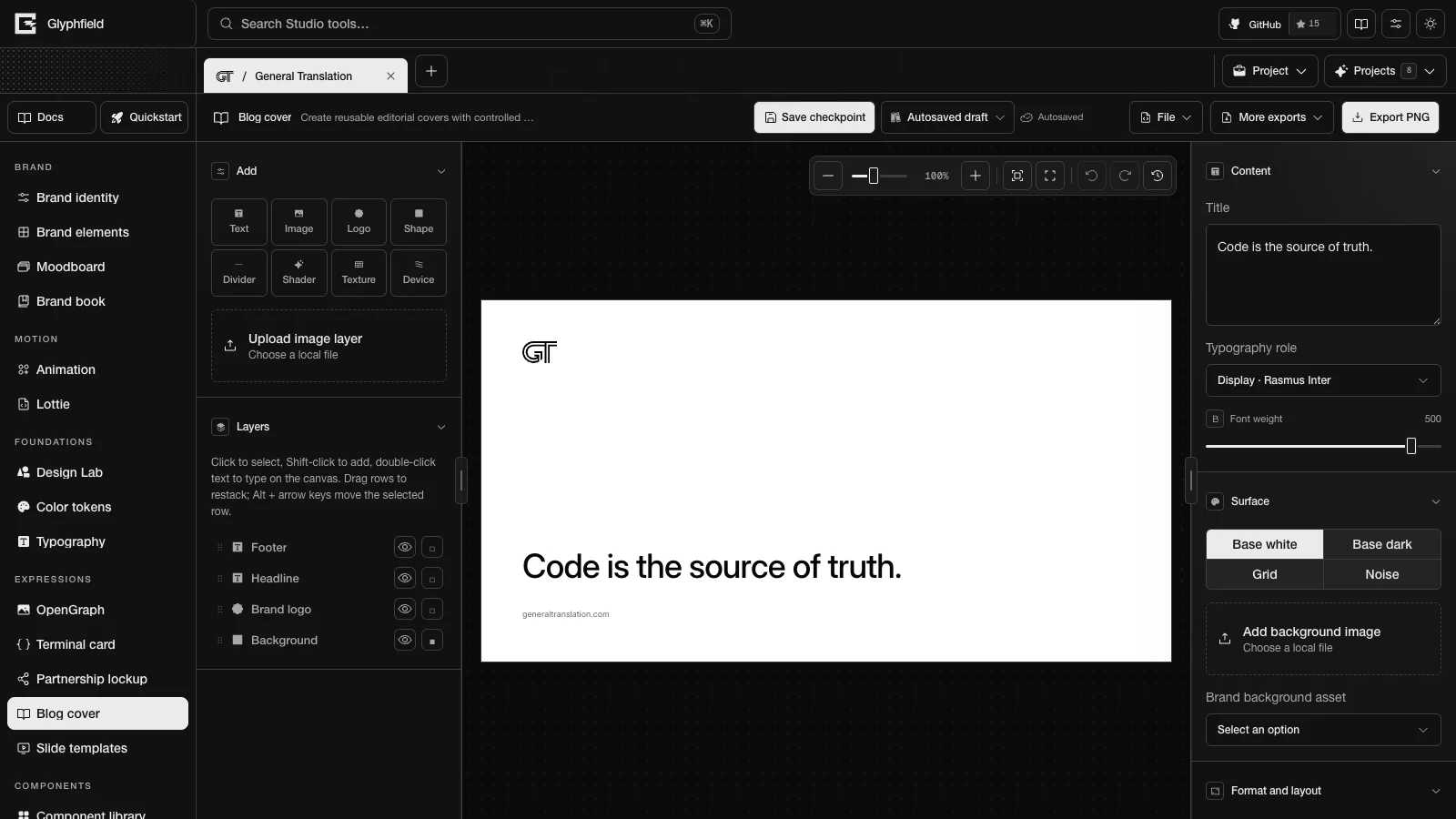
Blog cover (tool ID blog) makes editorial covers for blog posts. It is one of the expression tools. The headline starts as the first voice phrase of the identity, or its tagline when it has no voice phrases. No layout places a label above the headline.
Layouts
| Layout | ID | Arrangement |
|---|---|---|
| Editorial | editorial | The mark alone at the top, the headline anchored above the footer |
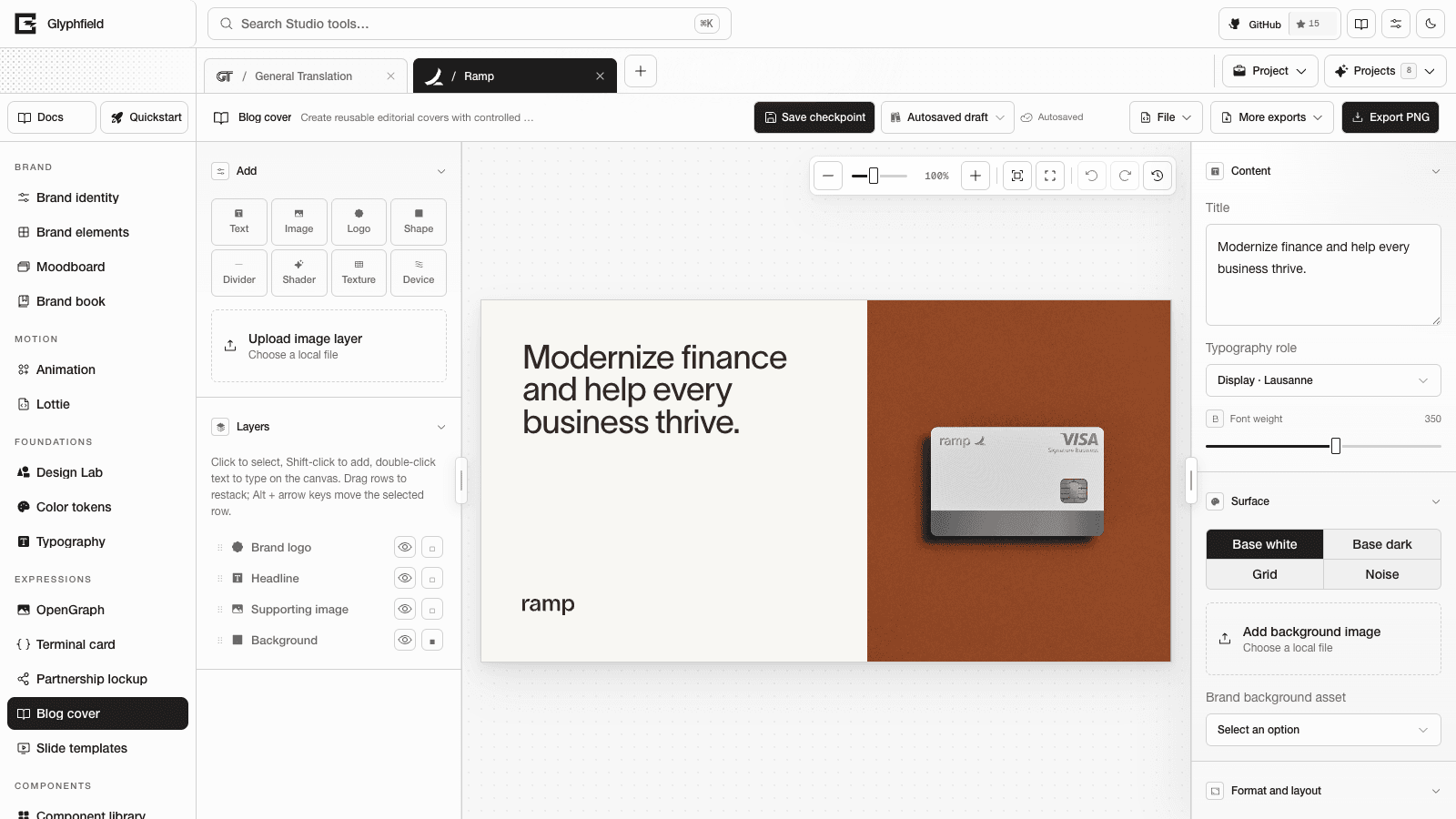
| Feature image | feature | The headline beside a library image or the brand device. Tall formats stack the image above the headline |
| Statement | statement | One large headline, a short emphasis bar and the wordmark |
| Centered | centered | The mark, a centered headline and the footer |
| Index | ledger | The wordmark above a rule, the headline and a ruled footer |
General Translation and Starter default to Editorial, Basement defaults to Statement, and the other built-in identities default to Feature image.
Content controls
- Content has Title, Typography role and Font weight (100–550) for the headline.
- Surface chooses Base white, Base dark, Grid or Noise. Grid and Noise set the page to the identity's paper color and add a texture layer that you can restyle or delete.
- Add background image uploads a local image, and Brand background asset picks one from the identity library. Either one places a full-page image behind the copy at 28% opacity. Background image opacity changes the opacity.
- Page surface in Format and layout accepts any brand color role.
Every layer is also editable on the canvas. See Expression tools. Blog cover uses the seven social formats listed there.
Export
Export PNG renders the cover at 2×, which is 2400 × 1260 px for the default format. More exports → Export SVG downloads a self-contained SVG.
Browser actions
| Action | Use |
|---|---|
blog.export.png / blog.export.svg | Export |
blog.document.describe | Format, layouts, pages and layers |
blog.layer.add / blog.layer.update / blog.layer.remove / blog.layer.duplicate | Layer edits |
blog.layer.reorder / blog.layer.select / blog.layer.align | Stack order, selection and alignment |
blog.format.set / blog.layout.apply / blog.template.reset | Format, layout and template |
blog.history.undo / blog.history.redo | History |
See Expression tools for the inputs and outputs of these actions.
HTTP
POST /api/generate with { kind: 'template', template: 'blog', layout?, format?, title?, texture?, backgroundImageDataUrl? } renders the cover as an SVG. See Generation API.
Partnership lockup
Lock up the brand with one or more partners using optical sizing, separators and alignment rules, then export the lockup as PNG or SVG.
Slide templates
Build brand slide decks from 14 layouts with speaker notes and slide numbers, then export a slide as PNG or SVG or the whole deck as one PDF.