 Glyphfield
Create skill
Use the $glyphfield-create skill to build and revise layered Design Lab compositions while keeping their source, layer IDs and layer order intact.
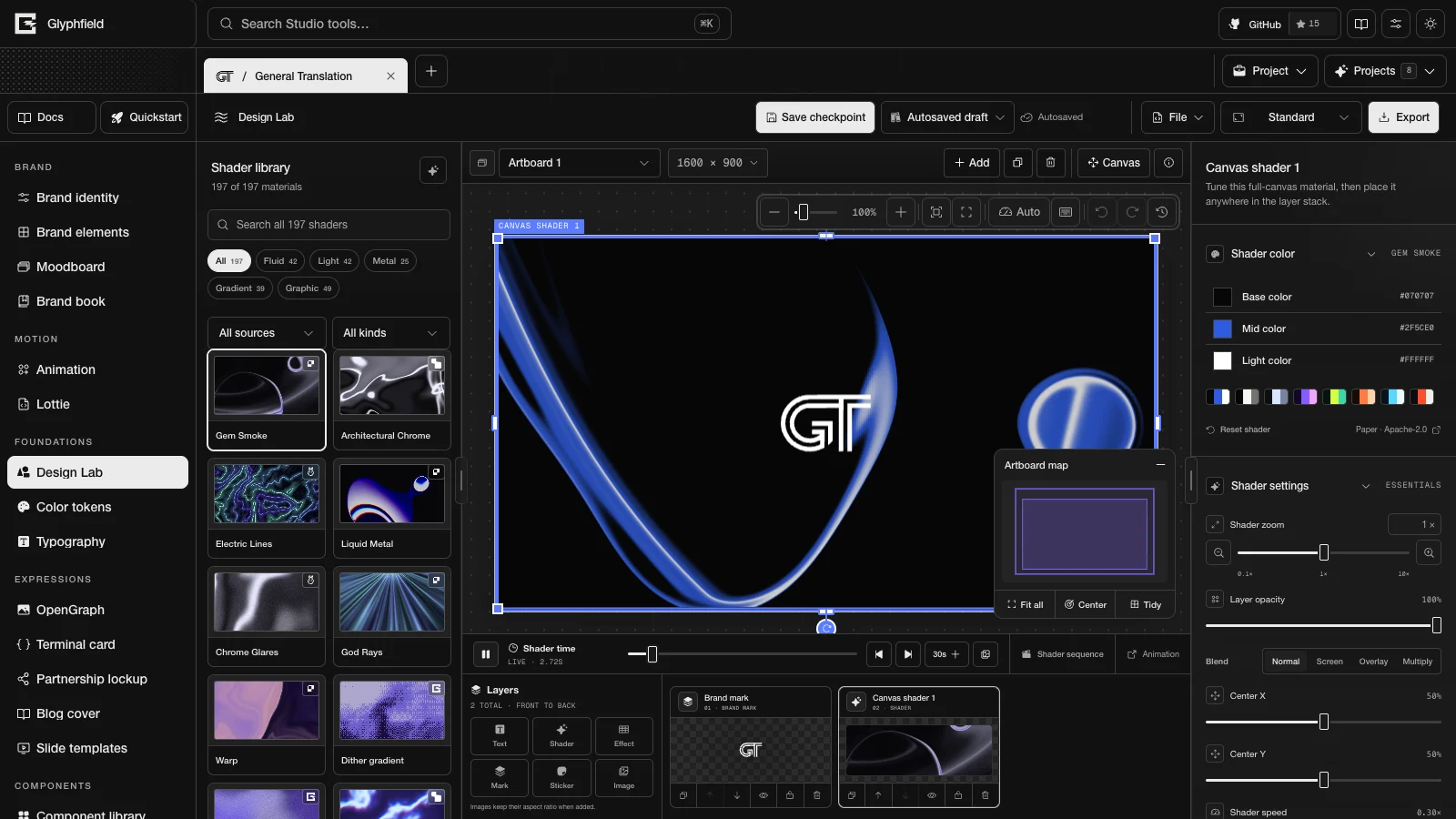
$glyphfield-create covers editable composition in Design Lab, the Studio's layered composition tool. Use it for artboards with text, marks, images, stickers, shader layers, converter effects and saved designs.
Invocation
Name the skill or describe a matching outcome:
Use $glyphfield-create to build a 1920×1080 launch card with Gem Smoke,
two editable text layers, the active brand mark, and a subtle Bayer overlay.
Save the composition as “Launch signal”.
Workflow
- Identify the active brand, the dimensions, still or motion output, and whether the work starts from an existing design.
- Open Design Lab at
/studio?tool=materialand calldescribe()before relying on controls or actions. Design Lab's public tool ID ismaterial. - For existing work, call
readSource()and keep unknown fields, stable page and element IDs, asset records and back-to-front order. - Add or update only the layers the request needs. Use each layer's own opacity, blend mode, geometry and effect settings.
- Apply the complete source through the Studio adapter, then read the normalized CanvasDocument again.
- Inspect the canvas at the intended shader frame. Save the design when it needs to be restored later.
Composition rules
- Leave out the shader when the brand mark carries the design alone. Otherwise use Gem Smoke as the general-purpose material.
- Keep shader layers behind authored content unless the design masks or converts them on purpose.
- Give Bayer, ASCII, halftone and posterize converters explicit foreground and background colors.
- For Engraving, Halftone, Light Leak, Watercolor, Chalkboard and the other Shaders.com image effects, add an Effect layer with
design.effects.add { effectId }. Image effects need WebGPU, and an export stops with an error when WebGPU is missing. Check each layer'sstatuswithdesign.effects.describefirst. - Use
design.layers.arrangeto align or distribute,design.layers.lockto protect finished layers,design.layers.rotateto turn layers about their centers, anddesign.layers.copyStylewithdesign.layers.pasteStyleto reuse an appearance. - Keep white artwork visible against a white sticker border with a fill, outline, alpha-aware shadow, surface or border color.
- Treat shader size as material zoom from
0.1to10. It does not change the canvas zoom. - Save the design so that its selected frame and timeline settings are kept.
Completion check
The work is not finished when applySource resolves. Confirm the layer order, visible placement, identity, opacity, selected material frame, saved-design restore and the rendered canvas. If the request includes a file, hand the result to $glyphfield-export.
Skills overview
Install the five Glyphfield Agent Skills and pick the one that fits a task, from Design Lab composition and HTTP generation to export checks and brand setup.
API skill
Use the $glyphfield-api skill to read Glyphfield's live catalogs and generate SVGs, element briefs and Design Lab documents over HTTP without a browser.